Most web scraping challenges in 2026 come down to one question: does your request look like a real visitor at a reasonable pace? This guide covers the obstacles that break scrapers most often (CAPTCHAs, IP blocks, 403s and 429s, TLS and browser fingerprinting, JavaScript rendering, login and consent walls, honeypots and silent layout changes), how to recognize each one from the response, what actually fixes it, and when it stops being worth doing yourself.
Code comes in Python and Node.js, and the outputs shown come from real runs.
Key takeaways
- Diagnose before you fix. A 403 on the first request, a 429 after a hundred, and a 200 with no data are three different problems with three different fixes.
- Never treat HTTP 200 as success. Check for a marker that only the real page contains.
- Fingerprints decide more blocks than IPs do. If your TLS handshake says Python and your User-Agent says Chrome, a better proxy won't save you.
- Before rendering a JavaScript page, look for the data as JSON in the HTML or in the site's own API calls.
- Layout changes don't throw errors; they produce empty fields. Validate every batch and alert on fill rates.
- Polite scraping (robots.txt, modest rates, no unneeded personal data) is also the scraping that gets blocked least.
How to tell what is breaking your scraper
Start from the symptom. This table maps what you see to the most likely cause and the section that covers it.
| What you see | Most likely cause | Go to |
|---|---|---|
| 403 on the first request from a fresh IP | Client fingerprint or IP type rejected on sight | Fingerprinting, IP blocks |
| Works for a while, then 403s or timeouts everywhere | IP or subnet reputation burned | IP blocks |
429, or 503 with a Retry-After header | Rate limit | Rate limits |
"Just a moment...", a CAPTCHA widget, cf-mitigated: challenge | Anti-bot challenge | CAPTCHAs |
| 200, the page looks fine in a browser, but the HTML has no data | Content built by JavaScript | JavaScript |
| 200 with a cookie banner, login form or age gate | Interstitial or login wall | Login and consent |
| Crawler wandering into odd URLs, endless pages or nonsense content | Honeypot or crawler trap | Honeypots |
| No errors, but fields are empty or record counts drop | Layout change | Layout changes |
Detect blocks before you parse
The most expensive bug in scraping is storing a challenge page as if it were data. Run every response through a check like this before parsing. The signatures are heuristics: tune them on your own targets, and note that a CAPTCHA widget on a login or contact form is not a block.
import re
SIGNATURES = [
("cloudflare challenge", re.compile(r"cf-chl|challenge-platform|<title>Just a moment\.\.\.</title>", re.I)),
("datadome", re.compile(r"captcha-delivery\.com", re.I)),
("human (perimeterx)", re.compile(r"px-captcha|_pxCaptcha", re.I)),
("akamai", re.compile(r"Access Denied.{0,600}Reference(?: |\s)(?:#|#)", re.I | re.S)),
("captcha widget", re.compile(r"g-recaptcha|h-captcha|cf-turnstile", re.I)),
("generic block text", re.compile(r"unusual traffic|are you a robot|access to this page has been denied", re.I)),
]
def block_reason(status, headers, body, marker=None):
"""Return why a response looks blocked, or None if it looks like the real page."""
if headers.get("cf-mitigated", "").lower() == "challenge":
return "cloudflare challenge (cf-mitigated header)"
head = body[:100_000]
for name, pattern in SIGNATURES:
if pattern.search(head):
return name
if status in (401, 403, 407, 429, 503):
return f"http {status}"
if marker and marker not in body:
return "expected content missing (soft block, consent wall or layout change)"
return None
# with requests: reason = block_reason(r.status_code, r.headers, r.text, marker="product-price")
print(block_reason(200, {}, "<html><title>Just a moment...</title>"))
print(block_reason(403, {"cf-mitigated": "challenge"}, ""))
print(block_reason(200, {}, "<div class=product-price>9.99</div>", marker="product-price"))
print(block_reason(200, {}, "<div>We use cookies</div>", marker="product-price"))cloudflare challenge
cloudflare challenge (cf-mitigated header)
None
expected content missing (soft block, consent wall or layout change)const SIGNATURES = [
['cloudflare challenge', /cf-chl|challenge-platform|<title>Just a moment\.\.\.<\/title>/i],
['datadome', /captcha-delivery\.com/i],
['human (perimeterx)', /px-captcha|_pxCaptcha/i],
['akamai', /Access Denied[\s\S]{0,600}Reference(?: |\s)(?:#|#)/i],
['captcha widget', /g-recaptcha|h-captcha|cf-turnstile/i],
['generic block text', /unusual traffic|are you a robot|access to this page has been denied/i],
];
/** Why a response looks blocked, or null if it looks like the real page. */
export function blockReason(status, headers, body, marker) {
if (headers.get('cf-mitigated')?.toLowerCase() === 'challenge') return 'cloudflare challenge (cf-mitigated header)';
const head = body.slice(0, 100_000);
for (const [name, re] of SIGNATURES) if (re.test(head)) return name;
if ([401, 403, 407, 429, 503].includes(status)) return `http ${status}`;
if (marker && !body.includes(marker)) return 'expected content missing (soft block, consent wall or layout change)';
return null;
}
// const res = await fetch(url); const reason = blockReason(res.status, res.headers, await res.text(), 'product-price');
console.log(blockReason(200, new Headers(), '<html><title>Just a moment...</title>'));
console.log(blockReason(200, new Headers(), '<div>We use cookies</div>', 'product-price'));IP reputation and IP blocks
How to recognize it. A 403 or an endless challenge on every page from one IP while another IP works fine. Connections reset during the TLS handshake. Blocks that start after a burst of traffic and affect neighbouring IPs too, which points to a subnet ban. Soft blocks are harder to spot: empty search results, stale prices or pages that never finish loading.
Why it happens. Sites score each IP by the network it belongs to (hosting company, ISP or mobile carrier), by its history across many sites, and by how much traffic it has sent recently. Datacenter ranges start with a worse score on protected sites because ordinary visitors don't browse from servers.
What fixes it.
- Spread requests across enough IPs that each one stays under the site's tolerance, and lower the rate before you add IPs.
- Move protected domains to residential or mobile IPs, and keep easy domains on cheap ones. The datacenter vs residential vs mobile proxies guide has a decision table by target and a script to test a pool.
- Keep each session on one IP. Cookies that hop between IPs are a strong bot signal.
- Back off and switch identity after a block instead of retrying on the same IP.
When to stop. When you are spending more time replacing IPs than using the data, or when only one or two domains need expensive IPs. Routing just those through a service is usually cheaper than running a residential pool for everything.
Rate limits and 429 Too Many Requests
How to recognize it. 429 Too Many Requests is the standard signal, sometimes with a Retry-After header in seconds or as a date. Some sites answer 503 with Retry-After instead, and some APIs send X-RateLimit-Remaining or RateLimit headers you can read before you hit the wall. The quiet version is throttling: latency climbs and results thin out without any error.
What fixes it. Limit concurrency per host, not just globally. Honor Retry-After. Otherwise back off exponentially with random jitter, so a fleet of workers doesn't retry in lockstep; the "full jitter" approach from AWS's write-up on backoff works well. Only retry statuses that can succeed later.
import random
import time
from datetime import datetime, timezone
from email.utils import parsedate_to_datetime

import requests

RETRYABLE = {408, 425, 429, 500, 502, 503, 504}

def retry_after_seconds(value):
    """Retry-After is either a number of seconds or an HTTP date."""
    if not value:
        return None
    if value.strip().isdigit():
        return int(value)
    try:
        when = parsedate_to_datetime(value)
        return max(0.0, (when - datetime.now(timezone.utc)).total_seconds())
    except (TypeError, ValueError):
        return None

def get_with_backoff(session, url, max_attempts=6, base=1.0, cap=60.0, **kwargs):
    for attempt in range(max_attempts):
        try:
            resp = session.get(url, timeout=30, **kwargs)
        except (requests.ConnectionError, requests.Timeout):
            resp = None
        if resp is not None and resp.status_code not in RETRYABLE:
            return resp
        if attempt == max_attempts - 1:
            break
        # "Full jitter": sleep a random time between 0 and the exponential ceiling.
        delay = random.uniform(0, min(cap, base * 2 ** attempt))
        server_hint = retry_after_seconds(resp.headers.get("Retry-After")) if resp is not None else None
        if server_hint is not None:
            delay = max(delay, min(server_hint, cap))
        time.sleep(delay)
    raise RuntimeError(f"gave up on {url} after {max_attempts} attempts")

if __name__ == "__main__":
    s = requests.Session()
    print(get_with_backoff(s, "https://httpbin.org/status/200").status_code)
    try:
        get_with_backoff(s, "https://httpbin.org/status/429", max_attempts=3, base=0.2)
    except RuntimeError as e:
        print(e)
    print(retry_after_seconds("120"), round(retry_after_seconds("Wed, 21 Oct 2099 07:28:00 GMT") or 0) > 0)
const RETRYABLE = new Set([408, 425, 429, 500, 502, 503, 504]);
const sleep = (ms) => new Promise((r) => setTimeout(r, ms));
function retryAfterMs(value) {
if (!value) return null;
if (/^\d+$/.test(value.trim())) return Number(value) * 1000;
const when = Date.parse(value); // HTTP-date form
return Number.isNaN(when) ? null : Math.max(0, when - Date.now());
}
export async function getWithBackoff(url, { maxAttempts = 6, baseMs = 1000, capMs = 60_000, ...init } = {}) {
for (let attempt = 0; attempt < maxAttempts; attempt++) {
let res = null;
try {
res = await fetch(url, { ...init, signal: AbortSignal.timeout(30_000) });
} catch {
// network error or timeout: retry
}
if (res && !RETRYABLE.has(res.status)) return res;
if (attempt === maxAttempts - 1) break;
let delay = Math.random() * Math.min(capMs, baseMs * 2 ** attempt); // full jitter
const hint = res ? retryAfterMs(res.headers.get('retry-after')) : null;
if (hint !== null) delay = Math.max(delay, Math.min(hint, capMs));
await sleep(delay);
}
throw new Error(`gave up on ${url} after ${maxAttempts} attempts`);
}
console.log((await getWithBackoff('https://httpbin.org/status/200')).status);
await getWithBackoff('https://httpbin.org/status/429', { maxAttempts: 3, baseMs: 200 }).catch((e) => console.log(e.message));If 429s keep coming after backoff, lower your steady-state rate for that domain. Retrying harder is how a rate limit becomes a ban.
Two kinds of 429 on ScrapingBot
When you scrape through the ScrapingBot API, the HTTP status mirrors the target page. A 429 from the target comes back with fault set and is refunded. This is a real response for a URL that always answers 429:
{
  "success": false,
  "url": "https://httpbin.org/status/429",
  "status": 429,
  "fault": "system",
  "error": "The target website returned a 429 error.",
  "duration": "11.95",
  "credits_used": 0,
  "job_id": "a25c7517-f255-44e5-aaba-7be919fa29fd"
}
A 429 without url and fault means your own plan's concurrency limit was reached. That one is also free; size your worker pool to your plan (see concurrency and plans).
CAPTCHAs and challenge pages
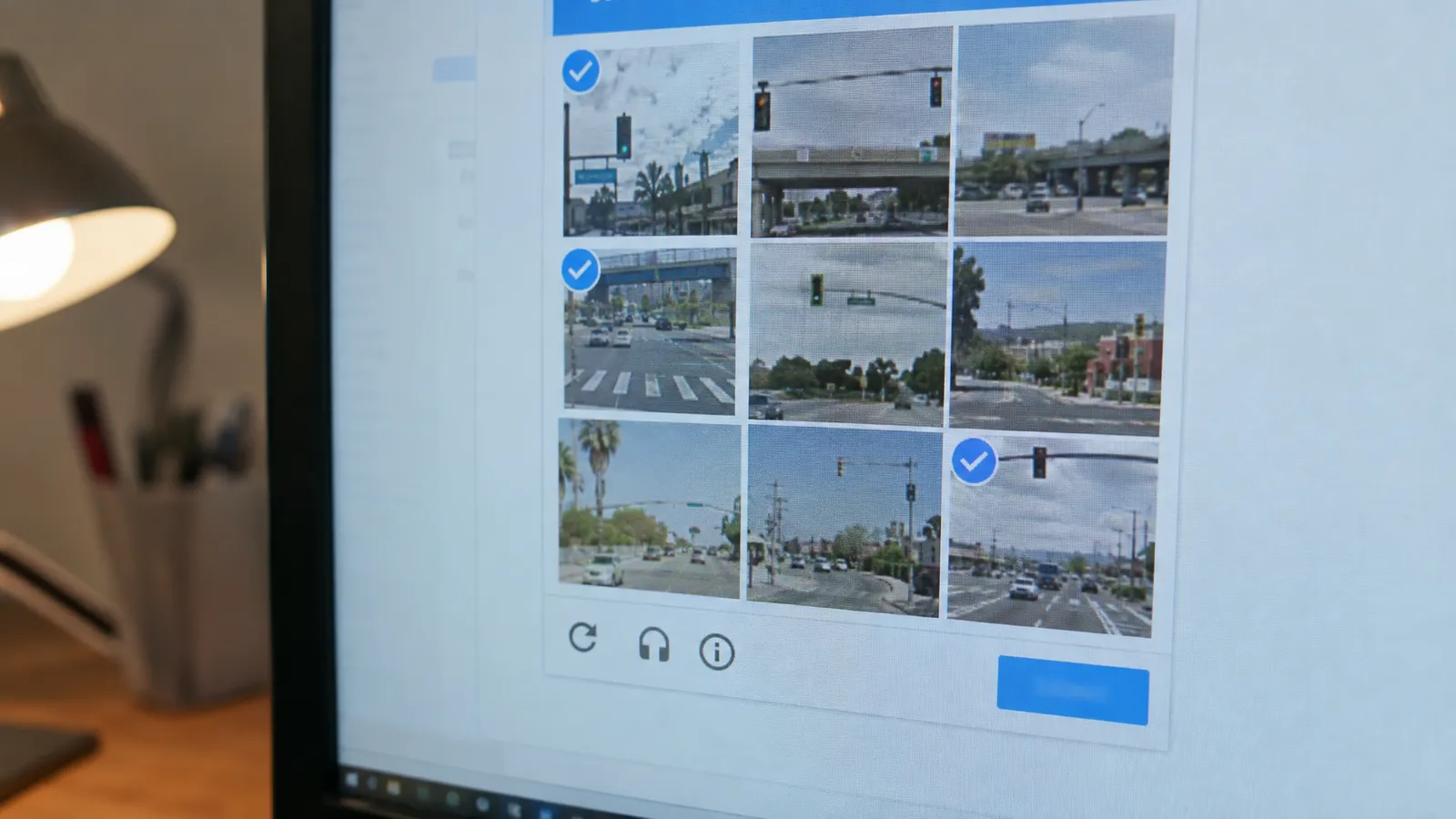
How to recognize it. The visible puzzle is the last stage. Before it, most sites run an invisible check (a JavaScript challenge or a risk score) and only show a puzzle to traffic that scored badly. Signals in the response:
- Cloudflare sets a
cf-mitigated: challengeheader on challenge pages; the body often has the title "Just a moment...". - Widgets in the HTML:
g-recaptcha,h-captcha,cf-turnstile. - Vendor markers:
captcha-delivery.com(DataDome),px-captcha(HUMAN, formerly PerimeterX), Akamai's "Access Denied" page with a reference number. - Status codes 403 or 503 on pages that normally answer 200, or a 200 that is much smaller than the real page.
What fixes it. Prevention beats solving. Challenges are triggered by a score, and the inputs to that score are things you control: the client fingerprint, the IP's reputation, cookie continuity, and timing. A real browser with a consistent fingerprint, on a decent IP, at a human-plausible pace, passes the invisible check most of the time and never sees a puzzle.
CAPTCHA-solving services exist, but they add cost and several seconds per page, and the token they return is often bound to the session and IP that requested it. On sites that challenge every request, a solver treats the symptom while the score that triggered it stays bad.
When to stop. If a site challenges every request even after you fix fingerprint, IP and pace, it has decided it doesn't want automated traffic. Check whether there is an official API or a data feed, or whether you need the data from that site at all.
Browser fingerprinting: TLS (JA3/JA4), HTTP/2 and headless signals
Fingerprinting is the reason "I rotated IPs and still got blocked" is so common. It identifies your client, whatever IP it uses.
TLS fingerprints: JA3 and JA4
Before any HTTP is sent, your client opens a TLS connection with a ClientHello message listing its TLS versions, cipher suites, extensions and supported groups. Each HTTP library builds that message differently, so it identifies the library. JA3 hashes those fields into one string. Chrome now shuffles the order of its TLS extensions, which makes a raw JA3 hash unstable, so JA4 sorts them first and adds a readable prefix.
You can see your own with a fingerprint echo service. This compares Python requests with curl_cffi, which impersonates Chrome's handshake:
# pip install requests curl_cffi
import requests
from curl_cffi import requests as cffi

URL = "https://tls.peet.ws/api/all"  # echoes back the fingerprint it saw
plain = requests.get(URL, timeout=15).json()
chrome = cffi.get(URL, impersonate="chrome", timeout=15).json()

for name, d in [("requests", plain), ("curl_cffi chrome", chrome)]:
    print(f"{name:17} {d['http_version']:9} ja4={d['tls']['ja4']}")
requests HTTP/1.1 ja4=t13d1712h1_ab0a1bf427ad_882d495ac381
curl_cffi chrome h2 ja4=t13d1516h2_8daaf6152771_806a8c22fdeaRead the prefix: t13d1712h1 is TLS 1.3, a domain name (SNI), 17 cipher suites, 12 extensions and HTTP/1.1. Chrome's t13d1516h2 has 15 ciphers, 16 extensions and HTTP/2. A request whose User-Agent says Chrome while its JA4 says Python is one of the easiest things for an anti-bot system to block, and no proxy changes it.
HTTP/2 and header fingerprints
HTTP/2 adds another layer: the SETTINGS values a client sends, its window sizes, and the order of pseudo-headers differ between browsers and libraries. Header order and casing matter on HTTP/1.1 too. A browser sends sec-ch-ua client hints that must agree with the User-Agent version and platform. Copying a browser's headers into Python fixes none of the layers underneath.
Headless browser signals
navigator.webdriveristruein browsers controlled by automation.- Older headless modes put
HeadlessChromein the User-Agent. - Servers without a GPU report a software WebGL renderer, a short font list and default screen sizes.
- Automation frameworks drive the browser through the DevTools protocol, which leaves side effects that detection scripts look for.
- Inconsistencies: a Windows User-Agent with macOS fonts, a US locale with a European time zone, a mobile User-Agent with a desktop viewport.
What fixes it. Consistency more than disguise. Use a client whose TLS and HTTP/2 match the browser you claim to be: curl_cffi with impersonate in Python, or a real browser in any language. In Node there is no widely used equivalent of curl_cffi, so driving a real browser is the dependable route. When you automate a browser, run a current version, use a realistic viewport, keep locale and time zone aligned with the IP, and keep the User-Agent the browser actually sends. Stealth plugins help, but they are a moving target that needs maintenance.
When to stop. When keeping up with detection updates becomes a recurring task on your team's calendar. That work is the core business of scraping infrastructure providers and rarely the core of yours.
JavaScript rendering
How to recognize it. The data is visible in your browser but missing from the HTML your scraper receives. Typical signs: a nearly empty <div id="root"> or <div id="__next">, a page that is mostly script tags, or data that appears only after scrolling.
Here is a real example. quotes.toscrape.com/js/ builds its quotes with JavaScript. A plain request returns the page without a single quote element, but the data is sitting in the HTML as a JavaScript array:
import json
import re
import requests

html = requests.get("https://quotes.toscrape.com/js/", timeout=30).text
print(html.count('class="quote"'))          # 0: the quotes are not in the HTML yet

match = re.search(r"var data = (\[.*?\]);", html, re.S)
quotes = json.loads(match.group(1))
print(len(quotes), quotes[0]["author"]["name"], "-", quotes[0]["text"][:40])
0
10 Albert Einstein - “The world as we have created it is a prconst html = await (await fetch('https://quotes.toscrape.com/js/')).text();
console.log(html.split('class="quote"').length - 1); // 0: the quotes are not in the HTML yet
const match = html.match(/var data = (\[[\s\S]*?\]);/);
const quotes = JSON.parse(match[1]);
console.log(quotes.length, quotes[0].author.name, '-', quotes[0].text.slice(0, 40));What fixes it, cheapest first:
- Look for data in the HTML. Search for
__NEXT_DATA__,application/ld+json,window.__INITIAL_STATE__or inline arrays like the one above. Parsing JSON is faster and more stable than parsing markup. - Find the site's own API. Open the browser's network panel, filter by Fetch/XHR, and reload. Many pages load their data from a JSON endpoint you can call directly, with the same headers and cookies.
- Render when you must. Use a real browser, and wait for the element you need rather than a fixed delay.
With the ScrapingBot API, rendering is render_js plus wait_for. The same page, rendered, returned all 10 quote elements in 1.78 seconds for 5 credits:
curl -X POST "https://scrapingbot.io/api/v1/scrape" \
  -H "x-api-key: YOUR_API_KEY" \
  -H "content-type: application/json" \
  -d '{"url": "https://quotes.toscrape.com/js/", "render_js": true, "wait_for": ".quote"}'
{
"success": true,
"url": "https://quotes.toscrape.com/js/",
"html": "<!DOCTYPE html><html lang=\"en\"><head> … <div class=\"quote\"><span class=\"text\">“The world as we have created it …",
"status": 200,
"duration": "1.78",
"credits_used": 5,
"job_id": "9f2bc78f-600e-427c-bfc1-9510b99f20b7"
}For pages that need clicks, typing or scrolling, js_scenario runs up to 49 browser steps before the HTML is captured. This one clicks "Next" and waits for the second page of quotes:
import requests

resp = requests.post(
    "https://scrapingbot.io/api/v1/scrape",
    headers={"x-api-key": "YOUR_API_KEY"},
    json={
        "url": "https://quotes.toscrape.com/js/",
        # Steps run in order before the HTML is captured (up to 49). A scenario always renders.
        "js_scenario": {"instructions": [
            {"wait_for_and_click": "li.next > a"},   # or a consent button such as "#accept"
            {"wait_for": ".quote"},
        ]},
    },
    timeout=90,
)
data = resp.json()
print(data["scenario"]["task_success"], "steps ok,", data["credits_used"], "credits")
const res = await fetch('https://scrapingbot.io/api/v1/scrape', {
method: 'POST',
headers: { 'x-api-key': 'YOUR_API_KEY', 'content-type': 'application/json' },
body: JSON.stringify({
url: 'https://quotes.toscrape.com/js/',
// Steps run in order before the HTML is captured (up to 49). A scenario always renders.
js_scenario: { instructions: [
{ wait_for_and_click: 'li.next > a' }, // or a consent button such as '#accept'
{ wait_for: '.quote' },
] },
}),
});
const data = await res.json();
console.log(data.scenario.task_success, 'steps ok,', data.credits_used, 'credits');Both printed 2 steps ok, 5 credits, and the HTML held page two. The response's scenario field reports each step's success and duration, which makes broken selectors easy to spot.
When to stop. Running your own browser fleet means sizing servers for memory, handling crashes and keeping browser versions current. If rendering is a minority of your traffic, renting it per request is usually cheaper than owning it.
Login walls and consent pages
How to recognize it. Redirects to /login or /signin; a 200 whose HTML contains a password field; cookie-consent interstitials that replace the page (common for EU visitors); age gates; region pickers. They all come back as 200, which is why a content marker matters.
What fixes it.
- Consent and locale walls: most store your choice in a cookie. Accept once in a browser, find the cookie, and send it with every request. Or click the button in a browser step (
{"click": "#accept"}in ajs_scenario). - Logins: scrape behind a login only with an account you own and are allowed to use that way. Log in once, reuse the session cookies until they expire, keep that session on one IP, and detect expiry by checking for the login form rather than by waiting for errors.
- On ScrapingBot, pass session or consent cookies in the
cookiesparameter (not available together withstealth_proxy).
When to stop. When the only way in is an account the site didn't give you for this purpose. Behind a login you have accepted the site's terms, and many of them prohibit automated access. That turns a technical question into a contractual one.
Honeypots and crawler traps
How to recognize it. Your crawler visits URLs no person would reach: links hidden with CSS, links that appear only in paths robots.txt disallows, calendars and filter combinations that generate endless pages, or pages filled with plausible nonsense. Some defenses now do this on purpose; Cloudflare's AI Labyrinth serves generated decoy pages to crawlers that ignore no-crawl directives. Getting blocked shortly after following a hidden link is the classic sign.
What fixes it.
- Follow only links a person could see. In a browser, filter by visibility (below).
- Respect
robots.txtDisallow rules; traps are often placed there. - Crawl from an allowlist of URL patterns, cap depth and pages per pattern, and normalize URLs (strip session IDs and tracking parameters) before de-duplicating.
- Compare scraped values with a few known-good pages; decoy content usually fails simple sanity checks.
# pip install playwright && playwright install chromium
from playwright.sync_api import sync_playwright

# Links a person could see and click. Hidden links are a classic crawler trap.
VISIBLE_LINKS = """els => els.filter(a => {
  const r = a.getBoundingClientRect();
  return a.checkVisibility({ checkOpacity: true, checkVisibilityCSS: true })
    && r.width > 1 && r.height > 1 && r.right > 0 && r.bottom > 0;
}).map(a => a.href)"""

with sync_playwright() as p:
    browser = p.chromium.launch()
    page = browser.new_page()
    page.goto("https://books.toscrape.com/", wait_until="domcontentloaded")
    links = page.eval_on_selector_all("a[href]", VISIBLE_LINKS)
    print(len(links), "visible links")
    browser.close()
// npm install playwright && npx playwright install chromium
import { chromium } from 'playwright';
const browser = await chromium.launch();
const page = await browser.newPage();
await page.goto('https://books.toscrape.com/', { waitUntil: 'domcontentloaded' });
// Links a person could see and click. Hidden links are a classic crawler trap.
const links = await page.$$eval('a[href]', (els) =>
els
.filter((a) => {
const r = a.getBoundingClientRect();
return a.checkVisibility({ checkOpacity: true, checkVisibilityCSS: true })
&& r.width > 1 && r.height > 1 && r.right > 0 && r.bottom > 0;
})
.map((a) => a.href),
);
console.log(links.length, 'visible links');
await browser.close();On a test page with one normal link and four hidden ones (display: none, opacity: 0, positioned off-screen, and inside a visibility: hidden block), this filter kept only the normal link.
Layout changes and silent breakage
How to recognize it. Nothing errors. The site renames product-title to productTitle, moves the price into a new element or runs an A/B test on half its visitors, and your scraper keeps returning records with empty or wrong fields. If you don't check, you find out from a customer.
What fixes it.
- Prefer structured sources. Embedded JSON, the site's own API and
application/ld+jsonproduct markup change far less often than CSS classes. - Write tolerant selectors. Anchor on
data-attributes, IDs, labels and text ("Price") rather than generated class names and deep paths. - Validate every batch and alert when it drifts (below).
- Consider AI extraction for volatile pages. Describing the fields instead of their location survives most redesigns.
A schema check that alerts on layout drift
This check validates types and value ranges per record, and fill rates per batch, which is where layout changes show up. It posts to a webhook (for example a Slack incoming webhook) when something drifts:
import json
import os
import re
import urllib.request

# What a good record looks like, and how often each field must be present.
SCHEMA = {
    "title": {"type": str, "min_fill": 0.99},
    "price": {"type": (int, float), "min_fill": 0.95, "check": lambda v: 0 < v < 100_000},
    "url":   {"type": str, "min_fill": 1.00, "check": lambda v: v.startswith("https://")},
    "sku":   {"type": str, "min_fill": 0.90, "check": lambda v: re.fullmatch(r"[A-Z0-9-]{4,20}", v)},
}
MIN_BATCH = 50  # do not judge fill rates on tiny batches

def record_errors(rec):
    errs = []
    for field, rule in SCHEMA.items():
        v = rec.get(field)
        if v in (None, ""):
            continue  # missing values are judged by fill rate, below
        if not isinstance(v, rule["type"]):
            errs.append(f"{field}: has the wrong type, {type(v).__name__}")
        elif "check" in rule and not rule["check"](v):
            errs.append(f"{field}: failed check ({v!r})")
    return errs

def batch_report(records):
    n = len(records)
    problems = []
    for field, rule in SCHEMA.items():
        fill = sum(1 for r in records if r.get(field) not in (None, "")) / n
        if n >= MIN_BATCH and fill < rule["min_fill"]:
            problems.append(f"{field} filled in {fill:.0%} of {n} records (expected {rule['min_fill']:.0%}+)")
    bad = [e for r in records for e in record_errors(r)]
    if bad:
        problems.append(f"{len(bad)} invalid values, e.g. {bad[:3]}")
    return problems

def alert(problems, source):
    text = f"Scraper drift on {source}:\n- " + "\n- ".join(problems)
    hook = os.environ.get("ALERT_WEBHOOK_URL")  # e.g. a Slack incoming webhook
    if hook:
        req = urllib.request.Request(hook, data=json.dumps({"text": text}).encode(),
                                     headers={"content-type": "application/json"})
        urllib.request.urlopen(req, timeout=10)
    else:
        print(text)

if __name__ == "__main__":
    good = [{"title": "Lamp", "price": 19.99, "url": "https://shop.example/p/1", "sku": "LMP-001"}] * 60
    drifted = [{"title": "Lamp", "price": None, "url": "https://shop.example/p/1", "sku": "LMP-001"}] * 55 \
            + [{"title": "", "price": "19,99", "url": "https://shop.example/p/2", "sku": "LMP-002"}] * 5
    print(batch_report(good))
    problems = batch_report(drifted)
    if problems:
        alert(problems, "shop.example category pages")
[]
Scraper drift on shop.example category pages:
- title filled in 92% of 60 records (expected 99%+)
- price filled in 8% of 60 records (expected 95%+)
- 5 invalid values, e.g. ['price: has the wrong type, str', 'price: has the wrong type, str', 'price: has the wrong type, str']const SCHEMA = {
title: { type: 'string', minFill: 0.99 },
price: { type: 'number', minFill: 0.95, check: (v) => v > 0 && v < 100_000 },
url: { type: 'string', minFill: 1.0, check: (v) => v.startsWith('https://') },
sku: { type: 'string', minFill: 0.9, check: (v) => /^[A-Z0-9-]{4,20}$/.test(v) },
};
const MIN_BATCH = 50;
const empty = (v) => v === null || v === undefined || v === '';
export function batchReport(records) {
const n = records.length;
const problems = [];
for (const [field, rule] of Object.entries(SCHEMA)) {
const fill = records.filter((r) => !empty(r[field])).length / n;
if (n >= MIN_BATCH && fill < rule.minFill) {
problems.push(`${field} filled in ${Math.round(fill * 100)}% of ${n} records (expected ${rule.minFill * 100}%+)`);
}
}
const bad = records.flatMap((r) =>
Object.entries(SCHEMA).flatMap(([field, rule]) => {
const v = r[field];
if (empty(v)) return [];
if (typeof v !== rule.type) return [`${field}: expected ${rule.type}, got ${typeof v}`];
return rule.check && !rule.check(v) ? [`${field}: failed check (${JSON.stringify(v)})`] : [];
}),
);
if (bad.length) problems.push(`${bad.length} invalid values, e.g. ${bad.slice(0, 3).join('; ')}`);
return problems;
}
export async function alert(problems, source) {
const text = `Scraper drift on ${source}:\n- ${problems.join('\n- ')}`;
if (process.env.ALERT_WEBHOOK_URL) {
await fetch(process.env.ALERT_WEBHOOK_URL, {
method: 'POST',
headers: { 'content-type': 'application/json' },
body: JSON.stringify({ text }),
});
} else {
console.log(text);
}
}
const drifted = [
...Array(55).fill({ title: 'Lamp', price: null, url: 'https://shop.example/p/1', sku: 'LMP-001' }),
...Array(5).fill({ title: '', price: '19,99', url: 'https://shop.example/p/2', sku: 'LMP-002' }),
];
const problems = batchReport(drifted);
if (problems.length) await alert(problems, 'shop.example category pages');Run it after each batch, before the data reaches storage, and quarantine batches that fail rather than mixing them into good data.
Extraction that doesn't depend on selectors
ScrapingBot's ai_schema parameter takes the fields you want and returns them as JSON, whatever the markup looks like. It adds 5 credits to the request. This is a real result from a product page:
import requests

resp = requests.post(
    "https://scrapingbot.io/api/v1/scrape",
    headers={"x-api-key": "YOUR_API_KEY"},
    json={
        "url": "https://books.toscrape.com/catalogue/a-light-in-the-attic_1000/index.html",
        "ai_schema": {"properties": {
            "title": {"type": "string"},
            "price": {"type": "number", "description": "price in GBP"},
            "in_stock": {"type": "boolean"},
            "upc": {"type": "string"},
        }},
    },
    timeout=90,
)
print(resp.json()["ai_result"])
const res = await fetch('https://scrapingbot.io/api/v1/scrape', {
method: 'POST',
headers: { 'x-api-key': 'YOUR_API_KEY', 'content-type': 'application/json' },
body: JSON.stringify({
url: 'https://books.toscrape.com/catalogue/a-light-in-the-attic_1000/index.html',
ai_schema: { properties: {
title: { type: 'string' },
price: { type: 'number', description: 'price in GBP' },
in_stock: { type: 'boolean' },
upc: { type: 'string' },
} },
}),
});
console.log((await res.json()).ai_result);{
"ai_result": {
"title": "A Light in the Attic",
"price": 51.77,
"in_stock": true,
"upc": "a897fe39b1053632"
},
"credits_used": 6
}Keep the schema check either way. AI extraction removes selector maintenance, not the need to verify what you store. To inspect a full response while you work, paste it into the JSON formatter.
Data quality and monitoring
A scraper that works today will break; the question is whether you notice within an hour or a month. Track these per domain:
| Metric | What it catches | Alert when |
|---|---|---|
| Success rate (content-verified) | Blocks, outages, soft blocks | Drops well below its 7-day average |
| Block rate by reason | Which defense is firing | A new reason appears, or one jumps |
| Field fill rate | Layout changes | Any required field falls below its threshold |
| Records per run | Pagination breaks, partial runs | Count drops by more than you expect day to day |
| p95 latency | Throttling, slow proxies | Doubles |
| Cost per good record | Retries and escalations creeping up | Rises week over week |
| Freshness | Stuck jobs | Newest record older than your schedule allows |
- Canary URLs: a handful of pages per site with values you know, checked on every run.
- Keep samples: store the raw HTML for a small share of requests and every failed one, so you can see what the scraper saw. On ScrapingBot, results stay retrievable by
job_idfor 24 hours. - Send your own request IDs: the API echoes an
x-request-idheader you send, which ties its logs to yours.
Responsible scraping: robots.txt, rate and personal data
This part is practical. Scrapers that behave well get blocked less, cause fewer incidents and are easier to defend.
Check robots.txt
RFC 9309 standardizes robots.txt. It is not access control, but it is the operator's clearly stated preference, and disallowed paths are where traps live. Two rules from the RFC are worth knowing: if robots.txt returns a 4xx, no rules apply; if it returns a 5xx or can't be reached, assume everything is disallowed.
One real gotcha: Python's RobotFileParser.read() fetches with the default Python-urllib User-Agent, which some sites refuse. Wikipedia answered it with 403 when we tried, and the parser treats a 403 as "disallow everything". Fetch the file yourself with your crawler's User-Agent:
import urllib.error
import urllib.request
from urllib.parse import urlsplit
from urllib.robotparser import RobotFileParser

USER_AGENT = "acme-price-monitor/1.0 (+https://acme.example/bot)"
_cache = {}

def robots_for(url):
    root = "{0.scheme}://{0.netloc}".format(urlsplit(url))
    if root not in _cache:
        rp = RobotFileParser()
        req = urllib.request.Request(root + "/robots.txt", headers={"User-Agent": USER_AGENT})
        try:
            with urllib.request.urlopen(req, timeout=15) as resp:
                rp.parse(resp.read().decode("utf-8", "replace").splitlines())
        except urllib.error.HTTPError as e:
            # RFC 9309: 4xx means no rules apply; 5xx means assume everything is disallowed.
            rp.parse([] if e.code < 500 else ["User-agent: *", "Disallow: /"])
        _cache[root] = rp
    return _cache[root]

def allowed(url):
    return robots_for(url).can_fetch(USER_AGENT, url)

def polite_delay(url, default=1.0):
    rp = robots_for(url)
    rate = rp.request_rate(USER_AGENT)  # "Request-rate: n/seconds", if the site sets one
    if rate:
        return rate.seconds / rate.requests
    return rp.crawl_delay(USER_AGENT) or default

print(allowed("https://en.wikipedia.org/wiki/Web_scraping"))                     # True
print(allowed("https://en.wikipedia.org/w/index.php?title=Special:Random"))       # False
print(polite_delay("https://en.wikipedia.org/wiki/Web_scraping"))                 # 1.0
import robotsParser from 'robots-parser';
const USER_AGENT = 'acme-price-monitor/1.0 (+https://acme.example/bot)';
const cache = new Map();
async function robotsFor(url) {
const robotsUrl = new URL('/robots.txt', url).href;
if (!cache.has(robotsUrl)) {
const res = await fetch(robotsUrl, { headers: { 'user-agent': USER_AGENT } });
// 4xx: no rules apply. 5xx or network failure: be conservative and treat it as disallow-all.
const txt = res.ok ? await res.text() : res.status >= 500 ? 'User-agent: *\nDisallow: /' : '';
cache.set(robotsUrl, robotsParser(robotsUrl, txt));
}
return cache.get(robotsUrl);
}
const robots = await robotsFor('https://en.wikipedia.org/wiki/Web_scraping');
console.log(robots.isAllowed('https://en.wikipedia.org/wiki/Web_scraping', USER_AGENT));
console.log(robots.isAllowed('https://en.wikipedia.org/w/index.php?title=Special:Random', USER_AGENT));
console.log(robots.getCrawlDelay(USER_AGENT) ?? 1);Crawl-delay isn't part of RFC 9309, but when a site sets one, honoring it costs little.
Keep the rate polite
- Cap concurrency per host. For small sites, one or two requests at a time is plenty.
- Schedule large crawls at the site's off-peak hours.
- Cache, and use conditional requests (
If-None-Match,If-Modified-Since) so unchanged pages cost both sides almost nothing. - Stop automatically when 429s or 5xx errors spike; you may be part of the problem.
- Where you are not trying to blend in, identify your crawler with a User-Agent that includes a contact URL.
Be careful with personal data
Data being public doesn't make it free of rules. The EU's GDPR applies to personal data about people in the EU even when it is publicly visible, and California's CCPA gives residents rights over data businesses hold about them. In practice:
- Collect only the fields your use case needs. If you don't need names, emails or profile photos, drop them at the scraper.
- Avoid sensitive categories (health, religion, politics, sexuality) entirely unless you have a clear legal basis.
- Set a retention period and delete on schedule.
- Don't republish copyrighted content wholesale. Facts such as prices and specifications are a different matter from articles, photos and reviews.
More sites now block unidentified crawlers by default, and some are experimenting with charging them, such as Cloudflare's pay per crawl. Expect the bar for "acceptable automated access" to keep rising. For anything beyond public, non-personal data at a polite rate, get legal advice; this section isn't that.
When to stop doing it yourself
Building your own stack makes sense when targets are lightly protected, volume is steady, and scraping is part of what your team is good at. It stops making sense when the anti-bot work grows faster than the data work. Signs you have reached that point:
- Someone spends a meaningful part of every week on proxies, fingerprints or browser crashes.
- Your success rate depends on the last stealth-plugin update.
- A handful of hard domains drive most of your proxy bill and most of your incidents.
- You are paying for bandwidth and solver fees on requests that failed anyway.
That's the work ScrapingBot takes on. Each challenge above maps to a parameter on one request:
| Challenge | Parameter | Credits |
|---|---|---|
| Static pages | none | 1 |
| JavaScript rendering | render_js, wait_for | 5 |
| Clicks, consent buttons, scrolling | js_scenario (up to 49 steps) | 5 |
| Sites that block datacenter IPs | premium_proxy | 10 |
| Heavily protected sites | stealth_proxy (always renders) | 75 |
| Layout drift | ai_query or ai_schema | +5 |
Costs don't stack except AI extraction: the most capable option sets the price. Blocked requests (403, 429 and similar), timeouts and 5xx errors are refunded; a target 404 is charged. Google results pages are better served by the Google Search API, and the Amazon, TikTok and Instagram APIs return platform data as JSON without any of the work above. For Google specifically, read how to scrape Google results without getting blocked; to compare hosted options, see the best web scraping APIs in 2026. The documentation covers every parameter.
FAQ
What are the biggest web scraping challenges in 2026?
The ones that break the most scrapers are IP reputation blocks, rate limits (429 responses), CAPTCHAs and challenge pages, browser and TLS fingerprinting, JavaScript-rendered content, login and consent walls, honeypot links, and layout changes that silently empty your data. Fingerprinting has become the deciding factor: a request whose TLS handshake does not match its User-Agent is often blocked before IP quality matters.
How do I stop getting 403 Forbidden when scraping?
First find out why. A 403 on the very first request from a fresh IP usually means your client fingerprint or IP type was rejected on sight, so fix the TLS fingerprint and headers or use a real browser. A 403 that appears after many successful requests is a rate or reputation block, so slow down, spread requests across more IPs and keep each session on one IP.
How should a scraper handle 429 Too Many Requests?
Stop sending to that host for a while. Honor the Retry-After header if there is one, otherwise back off exponentially with random jitter, and lower your concurrency for that domain permanently if 429s keep coming. Retrying immediately makes the limit stricter and can turn a rate limit into a ban.
What is a JA4 fingerprint and why does it matter for scraping?
JA4 is a readable fingerprint of the TLS ClientHello your HTTP client sends: TLS version, cipher and extension counts, ALPN and hashes of the sorted lists. Python requests, Node fetch and real Chrome each produce a different one. Anti-bot systems compare it with your User-Agent, so a request that claims to be Chrome but has a Python JA4 is easy to block.
Do I need a headless browser to scrape JavaScript sites?
Often not. Many JavaScript sites ship their data as JSON inside the page or load it from an API you can call directly, which is faster and cheaper than rendering. Use a browser when the data only exists after scripts run, when you need to click or scroll, or when the site requires a real browser to pass its bot checks.
How do I know when a layout change has broken my scraper?
Validate every batch against a schema: required fields, types, value ranges and how often each field is filled. A layout change rarely raises an error; it shows up as a field that is suddenly empty or a record count that drops. Alert when fill rates fall below a threshold, and keep a few canary URLs with known values that you check every day.
Is web scraping legal if I follow robots.txt?
Following robots.txt is good practice, but it is not a legal permission slip. Legality depends on the jurisdiction, whether the data is public, whether it includes personal data, the site terms you have agreed to, and what you do with the data. Scraping public, non-personal data at a polite rate is the low-risk end; get legal advice for anything beyond that. This is general information, not legal advice.
Should I use a CAPTCHA solving service?
Only as a last resort. Solvers add cost and seconds of latency per page, the token is often tied to the IP and session that requested it, and a site that keeps challenging you is telling you your traffic looks automated. Fixing the fingerprint, IP quality and request rate usually removes most challenges, which is cheaper and more stable than solving them.